Compare
Mingle vs Pocketalk
Pocketalk is a dedicated device you pass back and forth; Mingle turns the phone you already carry into a translator. Price, languages, data and who holds the screen are the real differences.
- Unbiased & Honest
- Side-by-Side Analysis
- Real-World Use Cases
- Updated Regularly
Choose Pocketalk if…
- You want one device for staff to hand to visitors, with no personal phones involved. Pocketalk is a handheld translator with two noise-canceling microphones, and organizations can manage a fleet of them from one admin panel, Ventana.
- You need more languages, or translation of text in photos. Pocketalk lists 92+ languages and translates signs and menus with its camera; Mingle supports 60+ languages and translates speech only.
- You travel without a data plan you trust. Pocketalk comes with a five-year LTE data plan with unlimited data in more than 170 countries and regions, so it does not depend on your phone's plan.
Choose Mingle if…
- You do not want to buy hardware. Mingle runs in the browser of the phone or computer you already have; Pocketalk's devices cost $299.95 (S2) and $349.95 (S2 Plus).
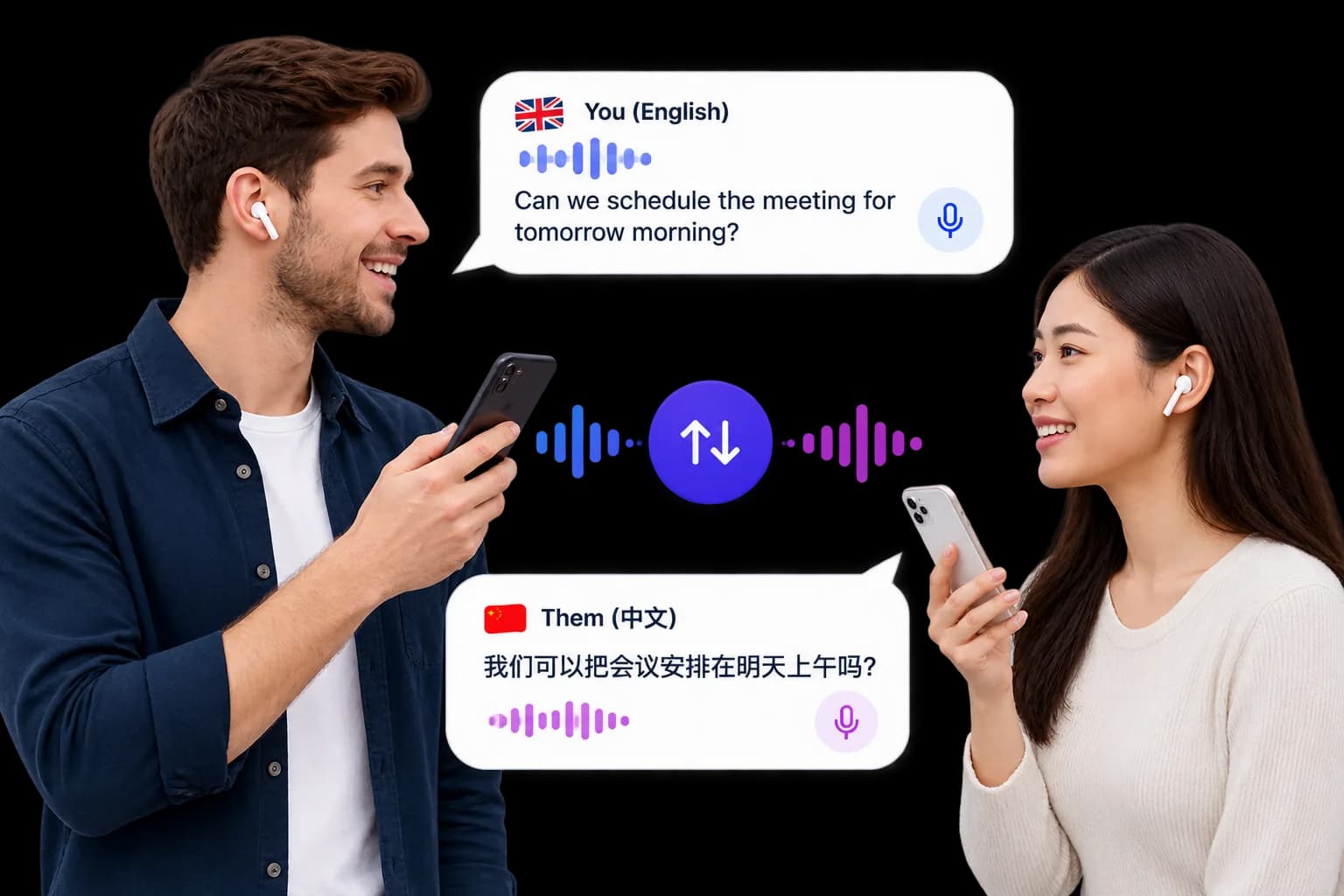
- The other person should follow on their own phone. Share a Mingle session by QR code and each of you reads and hears your own language; a handheld translator is one screen passed between two people.
- You also hold calls with people in other places. Mingle hosts its own meeting room, where each participant reads captions and hears the translation in the language they picked.
A device, or the phone you already have
Pocketalk is hardware: on Pocketalk's US site the S2 costs $299.95 and the larger S2 Plus $349.95 (prices may differ in other countries), both with no subscription fees and a five-year LTE data plan with unlimited data in more than 170 countries and regions. You charge it, carry it and hand it to the person you are talking to. Mingle is a web page: it runs on the phone or computer you already own, uses that device's data or Wi-Fi, and costs nothing to try. Short guest sessions need no account or card; longer use needs a paid plan billed by translation minutes. The trade is simple. Pocketalk is a one-off purchase that brings its own connection. Mingle has no purchase, but it lives on your own phone and your own data.

At a counter, in a classroom, at an office
Pocketalk is built for organizations as much as travellers. Its site describes use in education, healthcare, government, public safety and logistics, and an admin panel, Ventana, that manages a fleet of devices, assigns them by team or location and reports usage. If you want a shared device that staff hand to visitors, kept separate from anyone's personal phone, that is a real strength. Mingle suits a different setup: a desk tablet or the staff member's own phone, with the visitor joining on their own phone by scanning a QR code, so each person reads and hears their own language on their own screen. Neither replaces a qualified interpreter where one is required.
Travel: buy a device, or use your phone
For a short trip, try your phone first. Nothing needs to be bought, and you find out quickly whether live translation suits the conversations you actually have. A dedicated device starts to make sense if you travel often, want camera translation for signs and menus, would rather not use your own phone and data, or want something simple to hand to the other person. Neither the S2 nor Mingle works without a connection. Pocketalk has announced Pocketalk Z, an offline translator designed to run with no network, planned for 2027 at $999 with 20+ languages as of August 2026; Pocketalk says its features are still in development.
What we have not measured
We have not tested Pocketalk and Mingle side by side, so this page makes no claim that either is more accurate or faster. Both depend on the language pair, the microphone and the noise around you; Pocketalk's two noise-canceling microphones are a hardware advantage a phone does not have. The fairest test is your own: try the language pair you need, in the kind of place you will use it, and listen for names, numbers and addresses.
Mingle vs Pocketalk — Feature Comparison
| Feature | Mingle | Pocketalk |
|---|---|---|
| Two-way speech translation | Yes | Yes, at the push of a button |
| What you need | Any phone or computer with a browser | A Pocketalk S2 ($299.95) or S2 Plus ($349.95) |
| Languages stated | 60+ | 92+ |
| Text in photos (signs, menus) | No, speech only | Yes, camera translation |
| Data | Your phone's mobile data or Wi-Fi | Five-year LTE data plan included, or Wi-Fi |
| Works offline | No | Not the S2 models; Pocketalk Z, planned for 2027, is designed to run offline |
| The other person on their own phone | Yes, by QR code | No, one shared device |
| Microphones | Your phone's microphone | Two noise-canceling microphones |
| Cost after you start | Free guest sessions; paid plans from $4 a month, billed by translation minutes | No subscription fees |
| Managing many devices | Not offered | Ventana admin panel with device management and usage reporting |
Sources
Facts about Pocketalk were last checked against the sources below on 15 October 2026. Products change; if something here is out of date, tell us.
FAQ
Frequently Asked Questions
Everything you need to know about Mingle vs Pocketalk.
Should I buy a Pocketalk for a two-week trip?
Try your phone first. A browser translator like Mingle costs nothing to test, and you will know within a few conversations whether it covers what you need. Pocketalk starts at $299.95 with a five-year data plan and no subscription, which pays off if you travel often, want camera translation, or would rather hand the other person a separate device.
Are translator devices like Pocketalk better than a phone?
In some ways. Pocketalk has two noise-canceling microphones, a long battery standby time, camera translation and its own data plan, and nobody has to hand over a personal phone. Like a phone app, the S2 models translate over a network connection. A phone gives you the same core job on hardware you already own, and lets the other person join on their own screen.
Does Pocketalk work offline?
Not the current S2 models: they connect over their built-in data plan, Wi-Fi, a personal hotspot or a SIM card. Pocketalk has announced Pocketalk Z, designed to translate with no network, planned for 2027. Mingle also needs an internet connection, through mobile data or Wi-Fi.
Can Pocketalk translate signs and menus?
Yes. Its camera takes a photo and the screen shows the translated text on top of the image, with optional audio. Mingle translates speech only, so keep a camera translator for menus and signs if you use Mingle.
Which supports more languages, Pocketalk or Mingle?
Pocketalk lists 92+ languages for voice and image translation; Mingle supports 60+ for live speech translation. If you need a less common language, check that it is on each product's list before you rely on it.
Does Mingle work on Android?
Yes — Mingle runs in any modern browser on Android, iOS, and desktop. No app download required for either person.
Is Mingle free to try?
Yes — open a guest session instantly in your browser with no card and no install. Guest sessions are short, enough to try it out; paid plans add longer sessions and saved history.
Try Mingle free — no card, no install
Open a session in your browser right now.