Guides
AirPods Live Translation Not Working? Five Checks, One Known Crash, and a Fallback
AirPods Live Translation won't start, crashes or lacks your language? Five checks for iPhone, AirPods, Apple Intelligence and languages, plus a fallback.
- apple
- troubleshooting
- earbuds
- live translation
You put in your AirPods, open Translate, tap Start, and nothing happens. Or the app closes. Or your language is simply not in the menu. Apple's Live Translation for AirPods is impressive when it runs, but it only runs on a narrow set of devices, languages and settings. Go through the checks below in order: most problems are one of them.
Start with the five checks
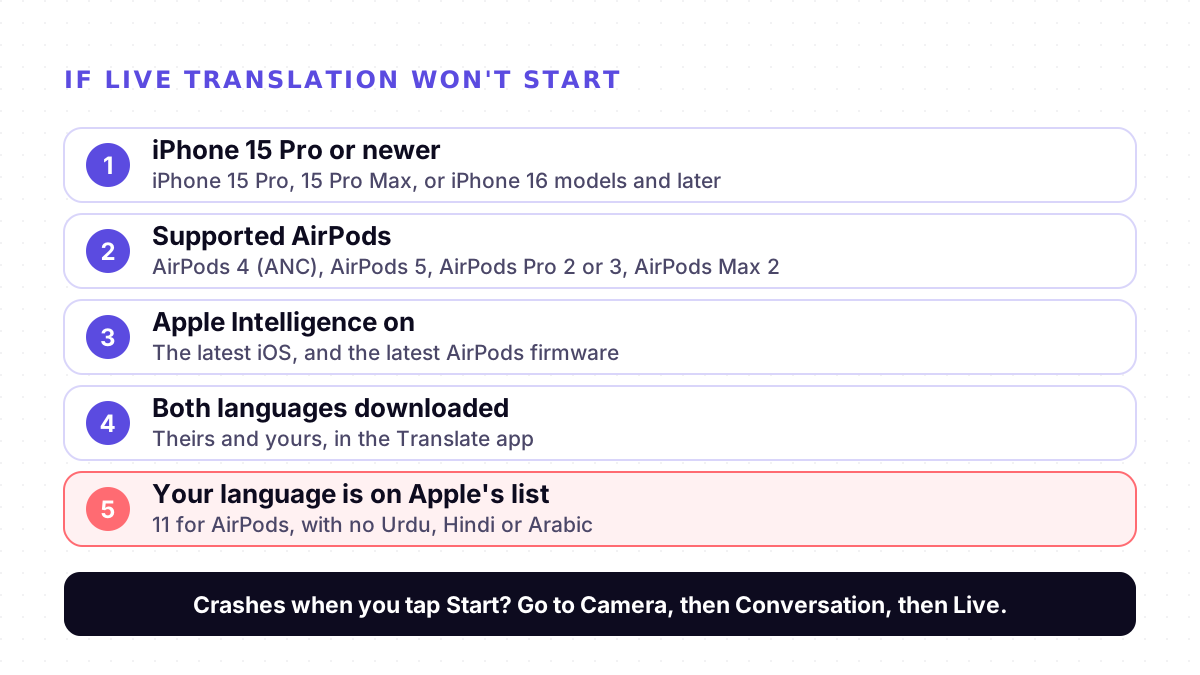
| Check | What Apple requires |
|---|---|
| 1. iPhone | iPhone 15 Pro, iPhone 15 Pro Max, or iPhone 16 models or later |
| 2. AirPods | AirPods 4 (ANC), AirPods 5, AirPods Pro 2, AirPods Pro 3 or AirPods Max 2, with the latest firmware |
| 3. Software | The latest iOS, with Apple Intelligence turned on |
| 4. Languages | Both languages downloaded in Translate: the one the other person speaks and the one you want |
| 5. Your language | On Apple's list for Live Translation with AirPods (below) |
The iPhone is the usual blocker. The translation runs on the iPhone, not in the earbuds, so new AirPods on an older phone will not do it. The regular iPhone 15 is not on Apple's list; the iPhone 15 Pro is.
Apple Intelligence has to be on. Apple's guide says the feature works when Apple Intelligence is turned on, and that some features are not available in every region or language.
Download both languages. Apple says you need the language the other person is speaking and the language you want it translated into. The translation then runs on the iPhone itself.
Is your language on Apple's list?
This is the check no setting can fix. Apple's iOS and iPadOS 27 feature availability page lists these for Live Translation with AirPods:
- Chinese (Mandarin, Simplified), not available in China mainland
- Chinese (Mandarin, Traditional)
- English (United Kingdom) and English (United States)
- French (France)
- German (Germany)
- Italian
- Japanese
- Korean
- Portuguese (Brazil)
- Spanish (Spain)
Urdu, Hindi, Arabic and Turkish are not on it. Live Translation in Messages covers more languages, Turkish among them, but still not Urdu, Hindi or Arabic. If your conversation needs one of these, AirPods Live Translation is not the tool, however your iPhone is set up.
Translate crashes when you tap Start
In May 2026, people in Apple's German and French community forums reported the same problem after updating to iOS 26.5: the Translate app crashed as soon as they started Live. One was on an iPhone 17 Pro Max with AirPods Pro 2, another on an iPhone 16 Pro. Restarting the phone, reinstalling the app and downloading the languages again did not help.
The poster of the German thread found a route that worked, and another user confirmed it worked for them too:
1. Open the Translate app.
2. Go to Camera, then Conversation, and say a word.
3. Then switch to Live. It starts.
Both threads were closed without an official answer from Apple. If you see the crash, report it on Apple's Feedback page and install the latest iOS update.
It starts, but the conversation does not work
The other person cannot hear you. Your replies reach the other person's ears only if they also have supported AirPods with Live Translation set up. Otherwise, Apple suggests showing them the transcript in the Live tab, or tapping Play to play the translation on your iPhone's speaker.
It mishears people in a noisy place. Apple's guide suggests using your iPhone's microphone in noisy surroundings to improve what it hears.
Names come out as nonsense. In Which?'s test, Live Translation turned "British Airways" into "Briti shareway". See why live translators get names wrong for what helps.
Two voices at once, and a delay. Which?'s testers found it distracting to hear the translation at the same time as the person speaking, and noticed delays with long or complex sentences. See why live translation lags behind the speaker.
When to use something else
If your iPhone is older than a 15 Pro, you use Android, the other person has no AirPods, or your language is not on Apple's list, a browser translator does the job without any of those requirements.
Mingle runs in a browser on any phone or computer, with nothing to install, and translates speech in 60+ languages, Urdu, Hindi, Arabic and Turkish included. Signed in with a free account, you can tap Share session: the other person scans a QR code, picks their language on their own phone, and each of you reads the other in your own language. On one phone, a session translates one direction and you swap languages when the other person replies. It needs an internet connection. See how a translated conversation works in the browser, or our comparison of Apple, Google and browser tools.
For transparency: Mingle is our product, and it does not fix Apple's feature. If you have a supported iPhone, AirPods and language, Live Translation is worth getting working; the checks above are the place to start.
Sources
Checked on 27 October 2026.
- Apple Support: Translate in-person conversations with AirPods
- Apple: iOS and iPadOS 27 Feature Availability
- Apple Community (German): Live Translation unter iOS 26.5 funktioniert nicht mehr (12 May 2026)
- Apple Community (French): Crash live translate after iOS 26.5 for direct translation with AirPod 3 (14 May 2026)
- Which?: We tested Apple's Live Translation feature: does it really work? (28 July 2026)
Drafted with AI assistance, edited and fact-checked by Tabish Irfan. How we write and check articles
FAQ
Which iPhones work with AirPods Live Translation?
Apple lists the iPhone 15 Pro, iPhone 15 Pro Max and iPhone 16 models or later, with the latest iOS and Apple Intelligence turned on. The regular iPhone 15 and older iPhones are not on the list, so the feature will not start on them whatever you change in Settings.
Which AirPods support Live Translation?
Apple's guide lists AirPods 4 with Active Noise Cancellation, AirPods 5, AirPods Pro 2, AirPods Pro 3 and AirPods Max 2, each with the latest firmware. Other AirPods, and other brands of earbuds, cannot use Apple's Live Translation.
Does AirPods Live Translation work in Urdu, Hindi or Arabic?
No. Apple's iOS 27 feature availability page lists 11 languages and variants for Live Translation with AirPods: Chinese (Mandarin, Simplified and Traditional), English (UK and US), French, German, Italian, Japanese, Korean, Portuguese (Brazil) and Spanish (Spain). Urdu, Hindi, Arabic and Turkish are not among them.
Why does the Translate app crash when I start Live?
In May 2026, people in Apple's community forums reported Translate crashing when they tapped Start in Live after updating to iOS 26.5, and restarting or reinstalling did not help. What worked for them was to open Translate, go to Camera, then Conversation, say a word, and only then switch to Live. Report it to Apple through its Feedback page and keep iOS up to date.
Does the other person need AirPods too?
Only to hear your replies in their ears. Apple says the other person hears your response through their own AirPods if they have supported AirPods with Live Translation set up. Otherwise you can show them the transcript in the Translate app's Live tab, or tap Play to play the translation on your iPhone's speaker.
What can I use instead on Android or an older iPhone?
A browser-based translator works on any phone with an internet connection and nothing to install. Mingle, our product, runs in the browser in 60+ languages, Urdu, Hindi and Arabic included; each person can join from their own phone by scanning a QR code. For other options, see our comparison of Apple, Google and browser tools.
Keep reading
Related posts
How it works Why Live Translators Get Names Wrong, and How to Get Them Through
In one test, live translation turned British Airways into 'Briti shareway'. Why names break more than other words, and eight habits that get them through.
4 min read
How it works Why Live Translation Lags Behind the Speaker, and How to Close the Gap
Live translation often trails the speaker by a few seconds. Where the delay comes from, which part you can fix, and why reading beats waiting to listen.
5 min read
Languages Hindi, Urdu and Hinglish: Why Voice Translators Trip on Mixed Speech
Millions of people mix English into Hindi and Urdu. Why live voice translators stumble on it, Hindi or Urdu output, and six habits that help.
5 min read
Try live translation free
No app install. Any phone. 60+ languages.
Start free session