Guides
How to Translate a Phone Call in Real Time: iPhone, Pixel, Galaxy and Teams
Translate a phone call live on iPhone, Pixel, Galaxy or Teams: where to turn it on, which languages each covers, and what to do when yours is missing.
- how-to
- mobile
- live translation
- microsoft-teams
On 10 September 2026, someone preparing a rollout for a service department posted a question on Microsoft Q&A. Their staff speak German, their customers in France speak French, and the calls are ordinary one-to-one phone calls made from Teams. Microsoft's rollout notice said the Interpreter agent worked in calls. Microsoft's admin documentation said one-to-one phone calls were not supported. Which one was true? The only answer, from a moderator, said the documentation was the safer guide and suggested scheduling a Teams meeting instead.
That question is a good summary of translating a phone call in 2026: the feature now exists on iPhone, Pixel, Galaxy and in Teams, but each one works only on certain calls, phones and languages. Here is what each one covers, as the makers describe it, and what to do when none fits.
What works on which call
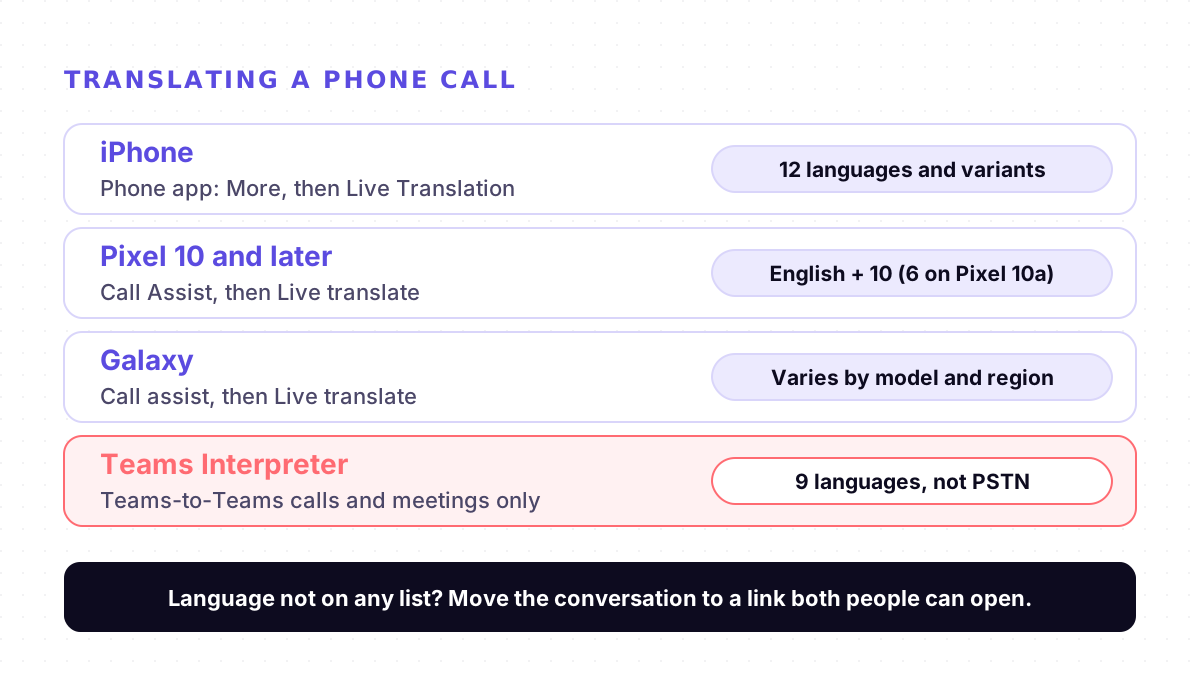
| Option | Where you start it | Languages | Ordinary phone numbers |
|---|---|---|---|
| iPhone | Phone app: More, then Live Translation | 12 languages and variants on Apple's list | Yes |
| Pixel 10 and later | Call Assist, then Live translate | English with 10 languages (6 on Pixel 10a) | Yes |
| Galaxy | Call assist, then Live translate | Varies by model, region and carrier | Yes |
| Teams Interpreter | Teams-to-Teams calls and meetings | 9 languages | No (PSTN not supported) |
iPhone. In the Phone app, tap More during the call, then Live Translation, choose the language and tap Start Translation. Apple says this alerts both people that the call is being translated. The other person hears a spoken translation of what you say, their replies are translated for you, and you can read a transcription. If you are not on the speaker or headphones, the call switches to the speaker. Apple says Live Translation runs entirely on the device. FaceTime works the same way and shows translated live captions to both callers.
Pixel. Google's help page lists the Pixel 10 and later. The feature is off by default: on the Pixel 10 series, turn on Voice translate in the Phone app's settings; on the Pixel 11 and later, turn on Live Translate under Settings, then System. During a call, tap Call Assist, then Live translate, and pick the other person's language. Both sides hear a short announcement in their own language. Google says it works without an internet connection and that the conversation is not stored or sent to Google.
Galaxy. Samsung's guide puts it in the Phone app's settings: turn on Live translate, set your language and the other person's, and also enable it under Advanced features, Advanced intelligence, Phone. During the call, tap Call assist, then Live translate. You can mute your own voice so the other person hears only the translation, and save language presets for a contact. Samsung says availability varies by model, region, carrier and software version.
Teams. Microsoft's current admin page lists Interpreter as supported in 1:1 Teams-to-Teams VoIP calls, scheduled meetings and channel meetings, and not supported in 1:1 PSTN calls, which are calls to ordinary phone numbers. Each listener needs a Microsoft Copilot license, which includes 20 hours of interpretation a month, and the supported languages are Chinese (Mandarin), English, French, German, Italian, Japanese, Korean, Portuguese and Spanish. For more on Teams, see our Microsoft Teams live translation guide.
Why a call that should work does not
1. Your language is not on the list. This is the one no setting fixes. Apple's Phone and FaceTime list has no Arabic, Hindi or Urdu. Pixel's list always pairs with English, so French to Spanish is not an option. Check the lists before the call, not during it.
2. The feature is still off. Pixel's call translation is off by default, and Samsung's has two switches. Turn it on and make sure the languages are downloaded: Apple downloads a language when you first choose it, and Google says you may need to download models.
3. The call is on the wrong kind of line. Teams Interpreter does not translate a Teams call to a customer's regular phone number. Call them on Teams, or schedule a short Teams meeting and send the link, as the Q&A moderator suggested.
4. Two people talk at once. Samsung's own advice for its Interpreter app is that only one person should speak at a time for accurate translations. Short sentences and a pause before replying help. See why live translation lags behind the speaker.
5. The phone is at your ear. The iPhone moves the call to the speaker when you start translating. Use the speaker or headphones from the start, and keep the screen where you can read the transcription.
What about translator earbuds?
Some earbuds translate calls through their own app. In City AM's review of the Timekettle LiveTalk on 8 October 2026, translating a voice call "also works well", but the reviewer noted "a fairly long delay" between the speech and the translation. The plan includes 200 free minutes of translation a month, with unlimited translation at £9.99 a month. Our translator earbuds guide covers when the hardware is worth it.
When no option fits
If your languages are not on any list, the other person is outside your Teams organisation, or you need several people in one translated conversation, the call itself is the limit. Move the conversation to a link both sides can open.
Mingle does not translate phone calls, and it does not join Teams, Zoom or Google Meet calls. It is its own meeting room in the browser: the host signs in to a free account and sends a link, and guests open it on a phone or laptop with nothing to install and no account. Each person reads captions in the language they choose, in 60+ languages in any combination, and can have the translation spoken aloud. A meeting runs for up to an hour and needs a data connection. See live meeting translation for how it works.
For transparency: Mingle is our product. If your phone's own call translation covers your language and the call is on a regular line, it is the simpler choice, because nobody has to open anything. Mingle is machine translation, not a certified interpreter; for legal or medical calls, book a qualified interpreter.
Sources
Checked on 29 October 2026.
- Microsoft Q&A: Microsoft Teams Interpreter agent: is it supported in 1:1 PSTN calls? (10 September 2026)
- Microsoft Learn: Manage Interpreter agent for your organization
- Apple Support: Use Live Translation on iPhone
- Apple: iOS and iPadOS 27 Feature Availability
- Google Pixel Help: Live Translate for phone calls
- Samsung Support: How to use Phone app Live translate during call
- Samsung Support: Interpreter has stopped on Galaxy phone
- City AM: Timekettle LiveTalk AI translation earbuds reviewed (8 October 2026)
Drafted with AI assistance, edited and fact-checked by Tabish Irfan. How we write and check articles
FAQ
Does the other person need the same phone or an app?
Apple's and Google's guides describe the translation running on your phone: the other person hears a spoken translation and an announcement that the call is translated. Neither guide lists anything they must install. Samsung's guide also lets you mute your own voice so the other person hears only the translation.
Which languages can an iPhone translate on a phone call?
Apple's iOS 27 feature availability page lists, for Live Translations in Phone and FaceTime: Chinese (Mandarin, Simplified and Traditional), English (UK and US), French, German, Italian, Italian (Switzerland), Japanese, Korean, Portuguese (Brazil) and Spanish (Spain). The Simplified Chinese option is not available in China mainland.
Which languages does Pixel call translation support?
Google's Pixel help page lists English paired with French, German, Hindi, Indonesian, Italian, Japanese, Portuguese, Russian, Spanish and Swedish. Indonesian, Japanese, Russian and Swedish are not available on the Pixel 10a. The feature is off by default and needs the Pixel 10 or later.
Can Microsoft Teams Interpreter translate a call to a regular phone number?
Not according to Microsoft's admin page, which lists 1:1 PSTN calls as not supported and 1:1 Teams-to-Teams VoIP calls as supported. Interpreter also needs a Microsoft Copilot license and covers nine languages. A Microsoft Q&A moderator suggested scheduling the conversation as a Teams meeting instead.
Does call translation work without internet?
Google says Pixel call translation works without an internet connection once the models are downloaded, and Apple says its Live Translation runs on the device. Teams Interpreter processes audio in the cloud, and a browser translator such as Mingle needs a data connection.
Keep reading
Related posts
Guides How to Have a Real-Time Translated Conversation in Your Browser (2026 Guide)
Step-by-step guide to a real-time translated conversation in your mobile browser: no app install, on one shared phone or two. What each setup needs, in 2026.
5 min read
How it works Why Live Translators Get Names Wrong, and How to Get Them Through
In one test, live translation turned British Airways into 'Briti shareway'. Why names break more than other words, and eight habits that get them through.
4 min read
Guides AirPods Live Translation Not Working? Five Checks, One Known Crash, and a Fallback
AirPods Live Translation won't start, crashes or lacks your language? Five checks for iPhone, AirPods, Apple Intelligence and languages, plus a fallback.
5 min read

Try live translation free
No app install. Any phone. 60+ languages.
Start free session